Version 3 Help Desk Update
For the past few months I've been trying to integrate the Zendesk Help Desk with NextComp, but the solutions they offered were more complex that I wanted to wrestle with, so I pushed off this feature.
Just last week Zendesk released a new integrated "drop box" tool. Ah ha, I thought, this is the answer to the issue of an easy, integrated help desk. And sure enough, after some testing today, it really does work! So I spent some time today updating every page of Version 3 with this new functionality.
Here's how it works.
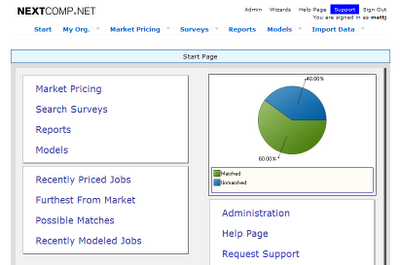
From any page in Version 3, click the Support link at the top of the page.
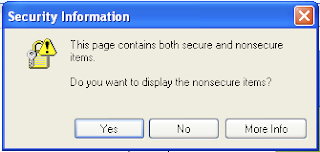
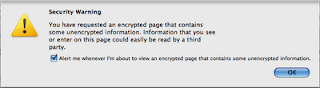
You may be warned that the page contains some unencrypted information. Click Yes or OK depending on your browser. The only unencrypted information on the support dialog is the Zendesk logo. You may not receive this warning depending on your browser settings.
The background of the page will dim, and a Help Desk dialog will pop-up.
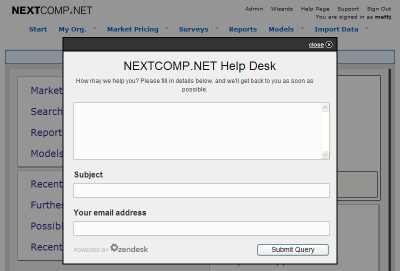
Enter your help desk request, a subject line for the message, and your e-mail address.
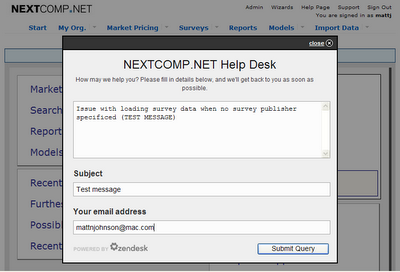
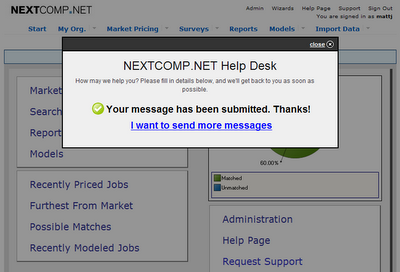
Click "Submit Query" and you'll receive a confirmation that your request was sent.
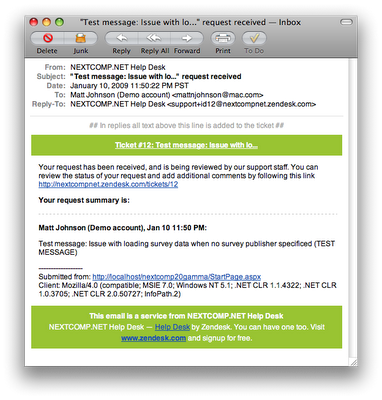
You'll receive an e-mail confirmation as well.
You'll also receive an e-mail when we have a solution to your request.
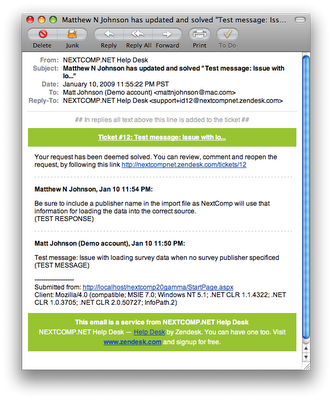
The best news is that this is all handled in NextComp and with e-mail. You don't have to leave the application to submit a request and you don't have to sign into another website to review the status of the request.
Integrated help desk support in Version 3... Check!
Just last week Zendesk released a new integrated "drop box" tool. Ah ha, I thought, this is the answer to the issue of an easy, integrated help desk. And sure enough, after some testing today, it really does work! So I spent some time today updating every page of Version 3 with this new functionality.
Here's how it works.
From any page in Version 3, click the Support link at the top of the page.

You may be warned that the page contains some unencrypted information. Click Yes or OK depending on your browser. The only unencrypted information on the support dialog is the Zendesk logo. You may not receive this warning depending on your browser settings.


The background of the page will dim, and a Help Desk dialog will pop-up.

Enter your help desk request, a subject line for the message, and your e-mail address.

Click "Submit Query" and you'll receive a confirmation that your request was sent.

You'll receive an e-mail confirmation as well.

You'll also receive an e-mail when we have a solution to your request.

The best news is that this is all handled in NextComp and with e-mail. You don't have to leave the application to submit a request and you don't have to sign into another website to review the status of the request.
Integrated help desk support in Version 3... Check!
Labels: 3, desk, e-mail, gamma, help, integrated, support, three, update, version
posted by Matt Johnson at
11:58 PM
|
0 comments


